Turn off Stolen Device Protection
-
Go to Settings
 , then do one of the following:
 -
Scroll down and tap Stolen Device Protection.
-
Turn off Stolen Device Protection.
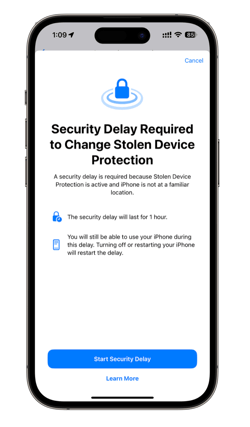
If you have Stolen Device Protection set to Away from Familiar Locations and you’re not at home or work, or you have Stolen Device Protection set to Always, a Security Delay is required to turn off Stolen Device Protection.
Tap Start Security Delay, then follow the onscreen instructions.