
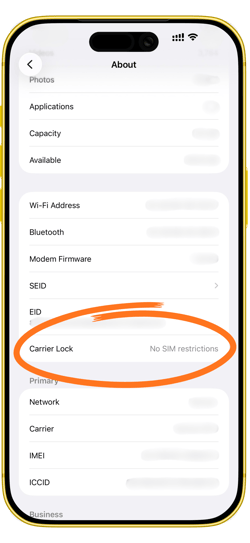
To determine your iPhone's carrier:
- Go to Settings and then About Phone
- Then look for Carrier, Carrier Lock, Network, or Network Provider. Here you’ll see your phone’s carrier listed.
- If you see “No SIM Restrictions” or “SIM Unlocked”, your phone is Unlocked and can be used on any carrier.